Motorola Edge 70 Review
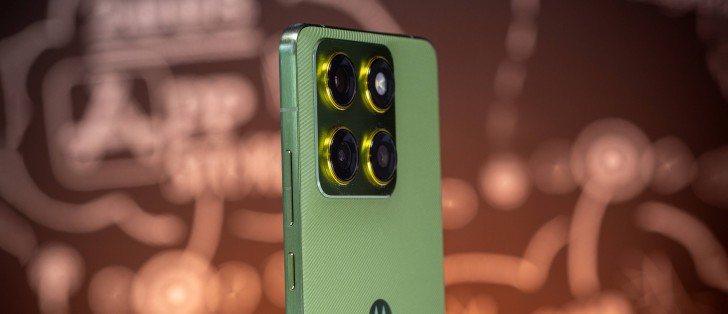
The Motorola Edge 70 arguably boasts the best design among today's ultra-slim smartphones. Its premium build delivers everything - lupscale design, increased water and drop resistance, and one of the most comfortable grips in a long time. And on top of that, it's impressively thin.
We appreciate the large OLED display with its high resolution and fast refresh rate, and the phone's battery life turned out to be excellent, matched by equally impressive charging speeds. We also have to give credit to Motorola for its clean and thoughtful approach to Android.
And then there are the cameras, which deliver excellent results both day and night - ultimately becoming the phone’s most unexpected highlight.
The chipset performance is not very competitive. Not that it's bad - in fact, the Edge 70 shows plenty of potential - but there are simply cheaper phones that offer more powerful hardware.
Nevertheless, we’re confident that in a few months - once its price inevitably settles down a bit - the Edge 70 will be seriously worth considering.
Pros
- Great-looking, incredibly grip, tough build.
- Superb OLED.
- Top-notch battery life, fast to charge.
- All three cameras do well for photos and videos, selfie as well.
- Clean and fast Android OS, plenty of AI integration.
- Comes bundled with a MagSafe compatible case (in some markets).
Cons
- Somewhat expensive at launch.
- Comes with a mid-range chipset.
- Shallow-sounding speakers.
Motorola Edge 70 specs at a glance:
- Body: 159.9x74.0x6.0mm, 159g; Glass front (Gorilla Glass 7i), aluminum frame; IP68/IP69 dust tight and water resistant (high pressure water jets; immersible up to 1.5m for 30 min), MIL-STD-810H compliant.
- Display: 6.70" P-OLED, 1B colors, 120Hz, PWM, HDR10+, 4500 nits (peak), 1220x2712px resolution, 20.01:9 aspect ratio, 446ppi.
- Chipset: Qualcomm SM7750-AB Snapdragon 7 Gen 4 (4 nm): Octa-core (1x2.8 GHz Cortex-720 & 4x2.4 GHz Cortex-720 & 3x1.8 GHz Cortex-520); Adreno 722.
- Memory: 256GB 12GB RAM, 512GB 12GB RAM; UFS 3.1.
- OS/Software: Android 16, up to 4 major Android upgrades.
- Rear camera: Wide (main): 50 MP, f/1.8, 24mm, 1/1.56", 1.0µm, multi-directional PDAF, OIS; Ultra wide angle: 50 MP, f/2.0, 12mm, 120˚, 1/2.76", 0.64µm, PDAF.
- Front camera: 50 MP, f/2.0, (wide), 0.64µm.
- Video capture: Rear camera: 4K@30/60fps, 1080p@30/60/120/240fps, gyro-EIS; Front camera: 4K@30fps, 1080p@30/120fps.
- Battery: 4800mAh; 68W wired, 15W wireless.
- Connectivity: 5G; eSIM; Wi-Fi 6e; BT 5.4; NFC.
- Misc: Fingerprint reader (under display, optical); stereo speakers (with Dolby Atmos); Smart Connect support.
It seems like Motorola really has it all figured out. Let's find out if that's really the case.
Unboxing the Motorola Edge 70
The Motorola Edge 70 ships inside a thin paper box that contains the phone and a USB-C cable.
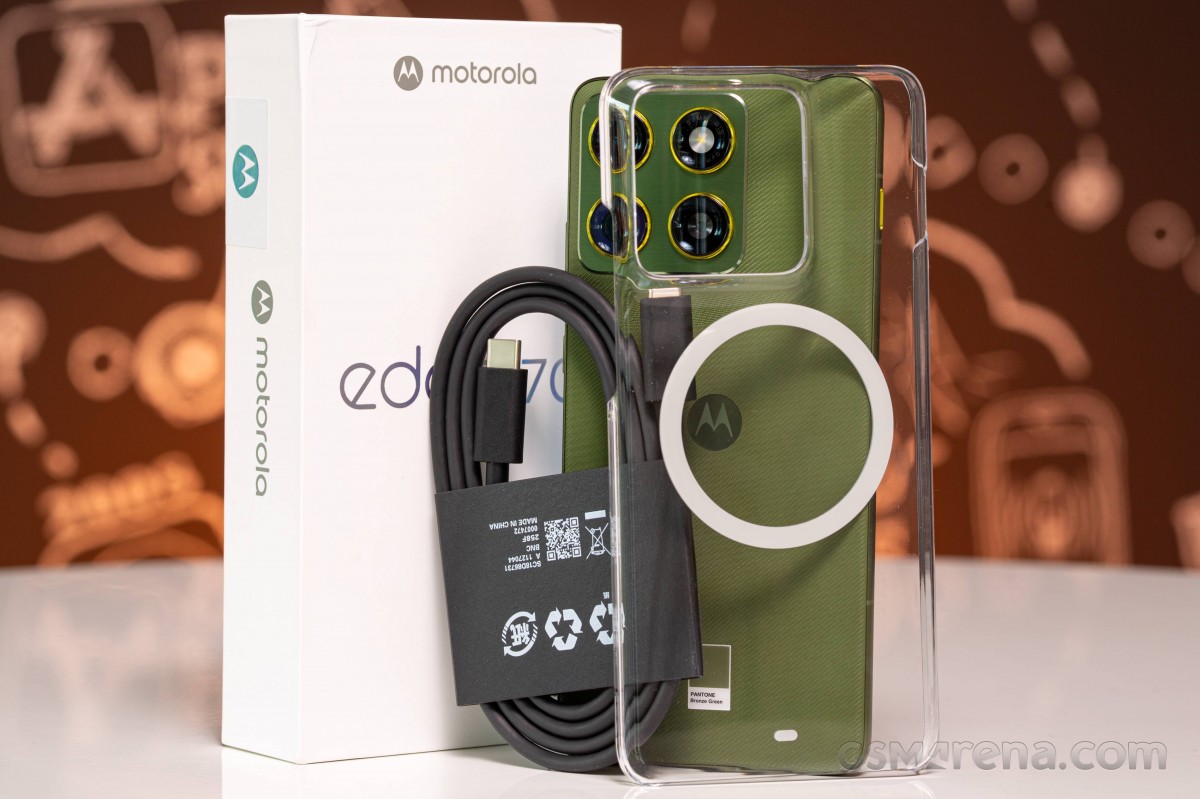
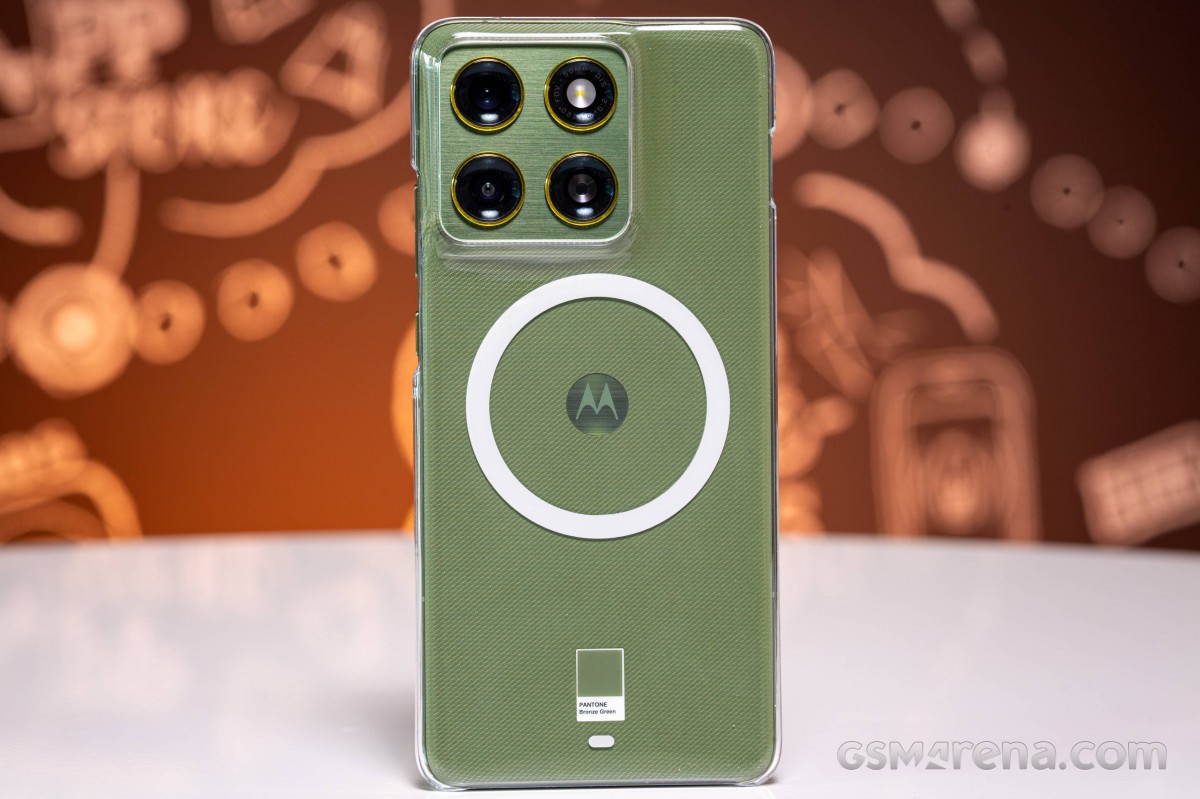
Motorola has also bundled a transparent MagSafe-ready case, which is nice. It's used for both wireless charging and attaching any third-party MagSafe accessories on the back of the phone.
Design, build quality, handling
The Motorola Edge 70 is an easy-to-like phone. It is indeed super thin, incredibly lightweight, and also something that none of the other Airs or Edges is - very grippy.
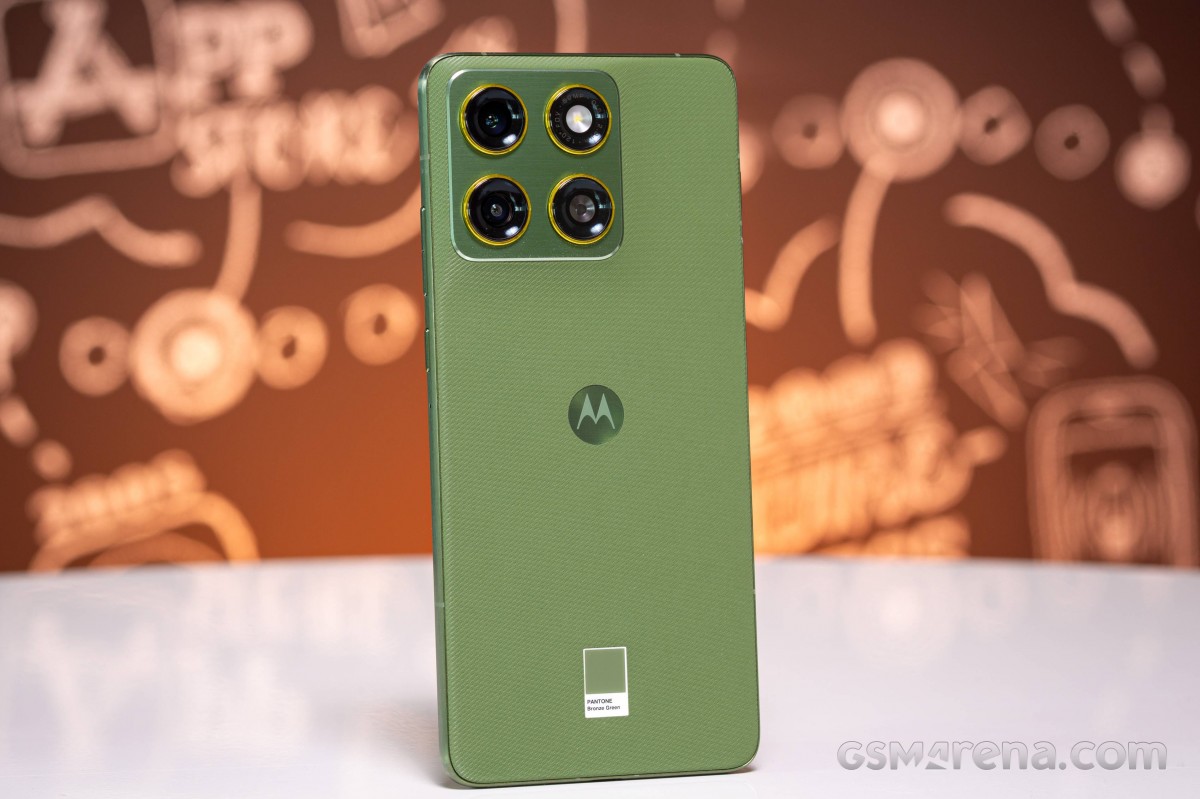
The Edge 70 has a flat Gorilla Glass 7i at the front, brushed aluminum framed with subtle chamfers, and a textured back panel, which is impressively fingerprint and smudge-resistant, and, as we established, super grippy.
The camera island protrudes noticeably, but the back panel transitions gradually to the level of the camera bump.
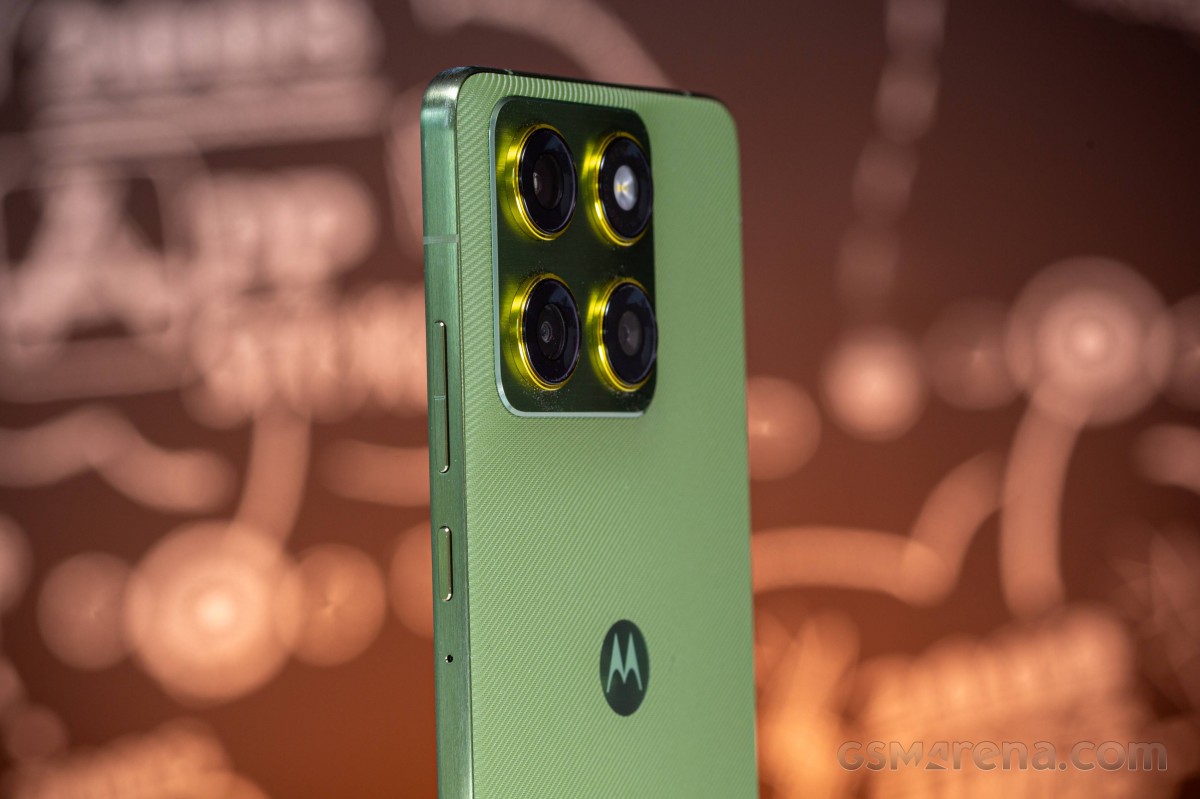
The Motorola Edge 70 is both IP68 and IP69 rated for dust, water and high-pressure water jets resistance. It is also compliant with a couple of MIL-STD-810H standards for coastal humidity (up to 95%), high temperature amplitudes - cold morning, hot afternoons, and even shock and scratch resistance.
Now, to the important numbers - the Edge 70 measures 159.9 x 74 x 6 mm and weighs just 159 grams. This makes it the lightest among the Galaxy S25 Edge (3900mAh) and the iPhone Air (3149mAh), but not technically the thinnest - the iPhone holds the title with a 5.6mm profile, followed by the Galaxy with a 5.8mm body. A phone like the Infinix Hot 60 Pro+ has about the same thickness and weight as the Motorola, but comes with a larger 5160mAh battery.
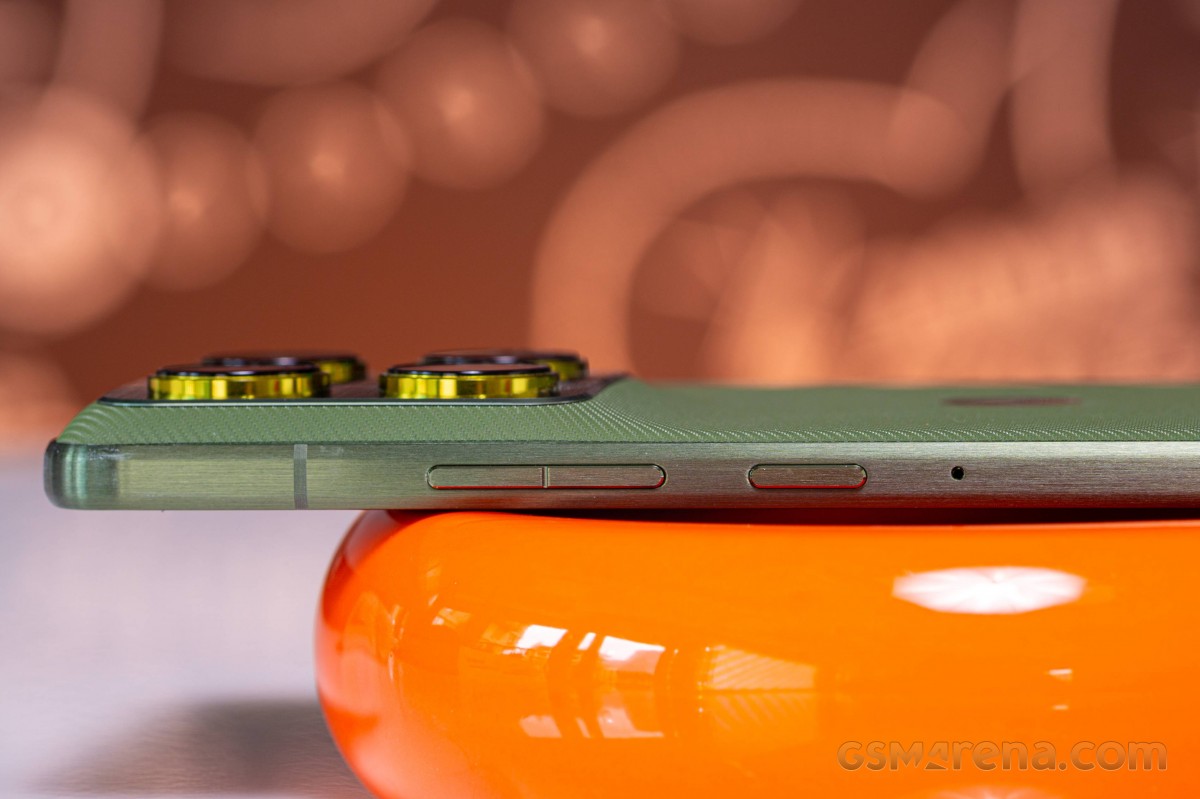
Still, even though the Edge 70 is not technically the thinnest phone, we are splitting hairs, really. And we are talking about a great level of execution - with solid durability, superb handling and a great design.
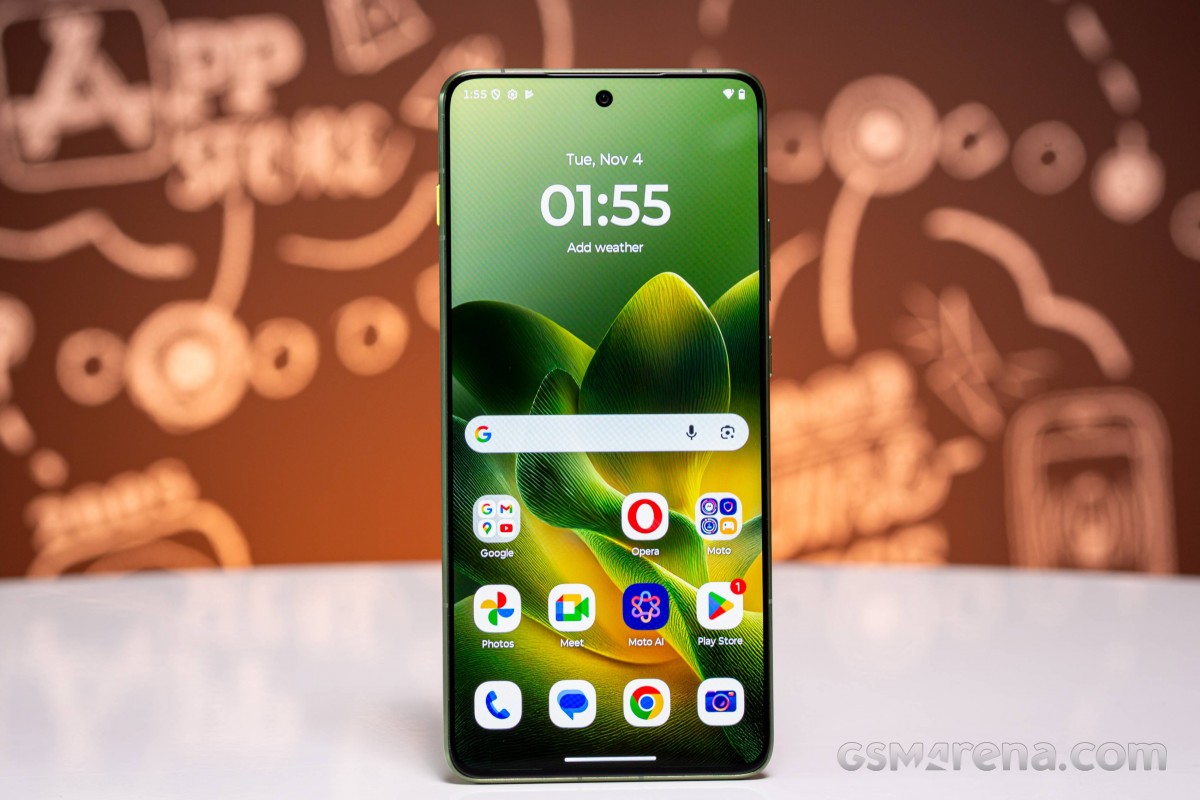
The Edge 70 relies on a 6.7-inch P-OLED screen with 1220p resolution and incredibly thin bezels. There is only a small cutout for the 50MP selfie camera.
Above the screen is an almost invisible earpiece that also doubles as a stereo speaker.
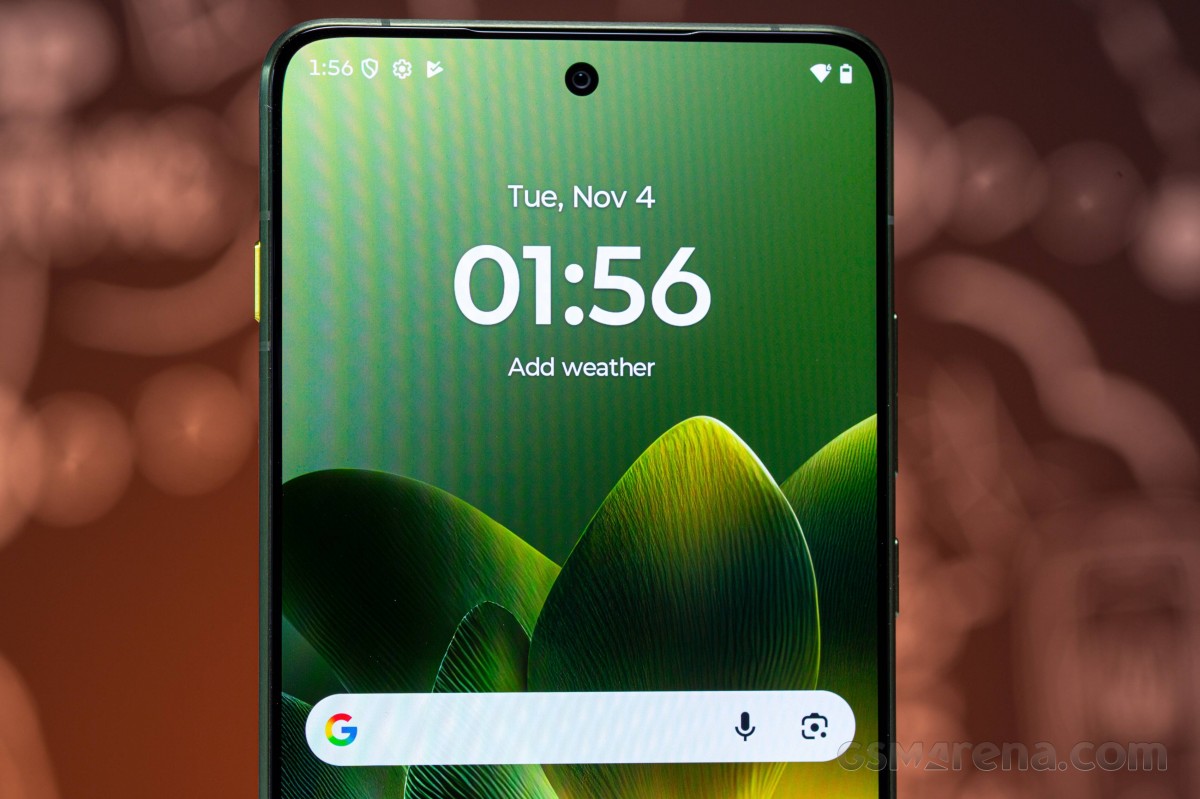
Near the bottom of the screen, underneath, is where you will find the optical fingerprint scanner. It is fast and reliable, as those usually are.
The back panel feels great with its luxury textile-like texture, which is smudge and fingerprint-resistant. The choice of colors once again comes courtesy of Pantone - Gadget Gray, Lily Pad, Bronze Green (ours).
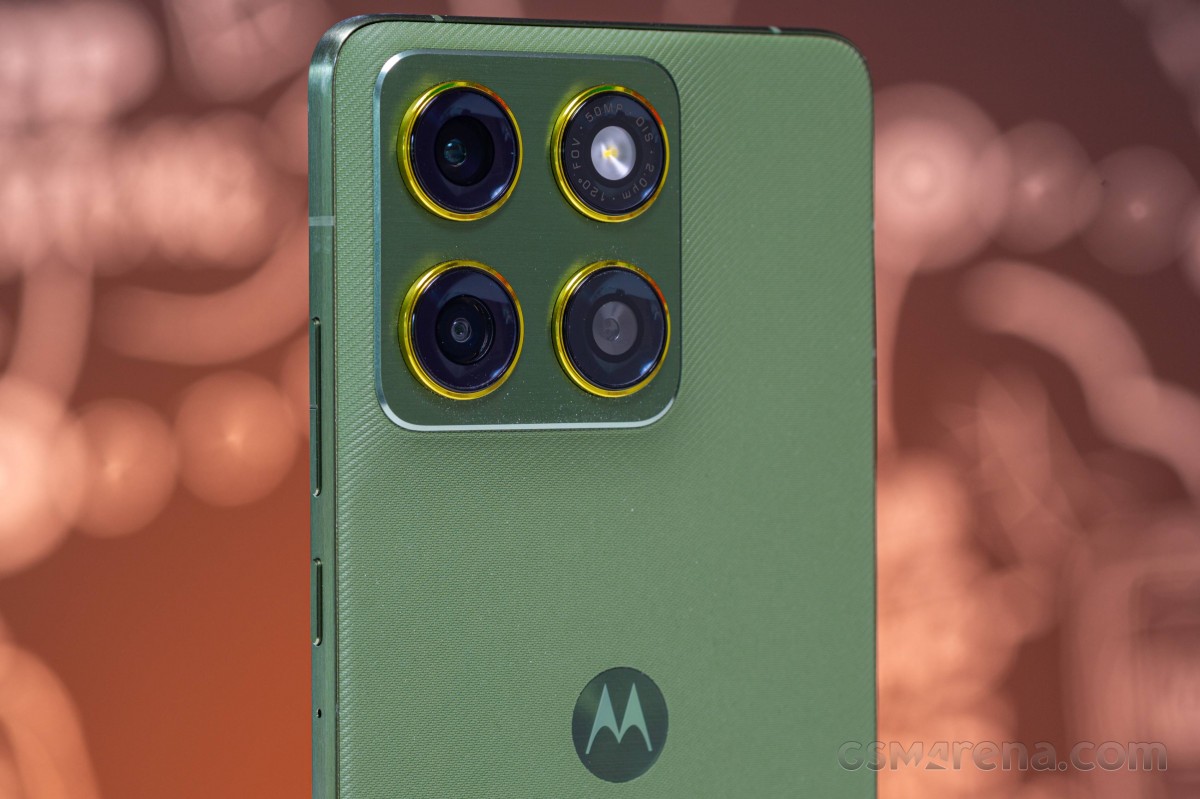
Here you can see the camera island, which has four rings housing the 50MP primary and the 50MP ultrawide cameras, plus the LED flash. The fourth ring appears to be a decorative one, for symmetrical purposes.
We like the subtle chamfers around the brushed aluminum frame. They make the Edge 70 feel even than it is, while the finely brushed surface is smudge resistant and rather grippy, too.
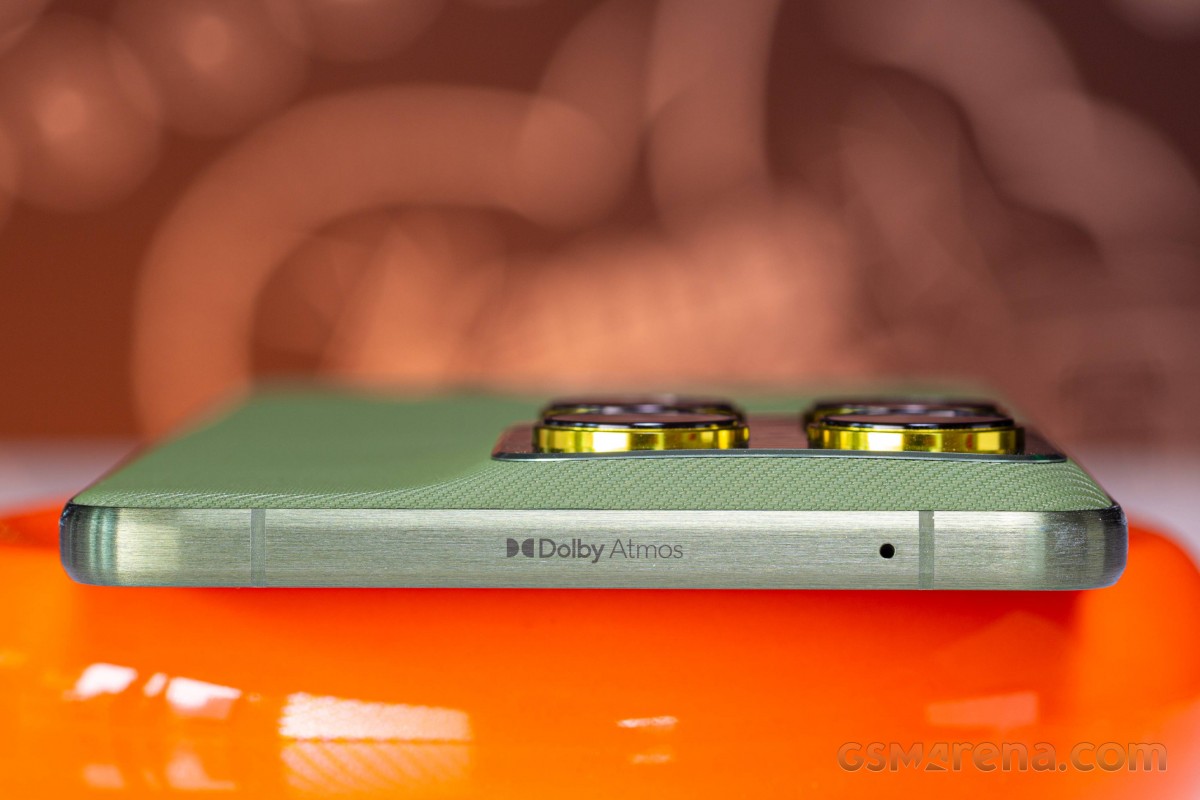
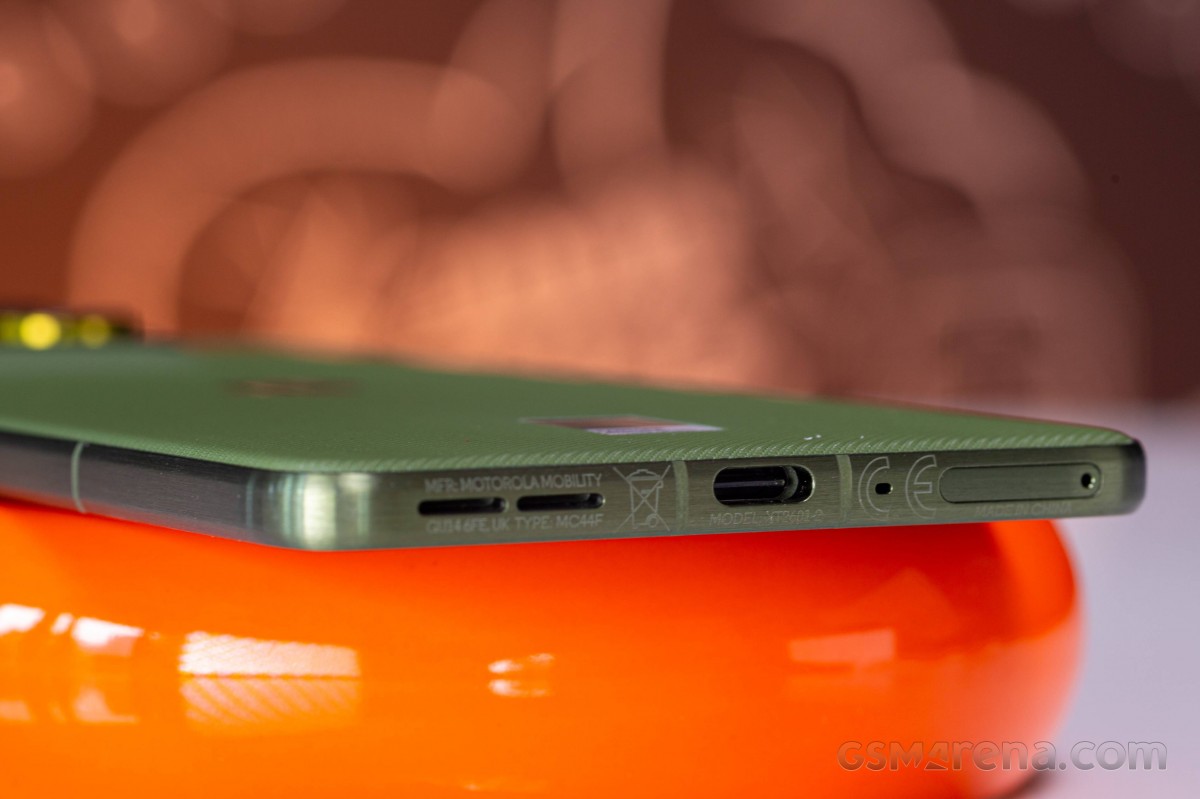
The top has one of the mics, the other one is at the bottom together with the other stereo speaker, the SIM slot, and the USB-C port.
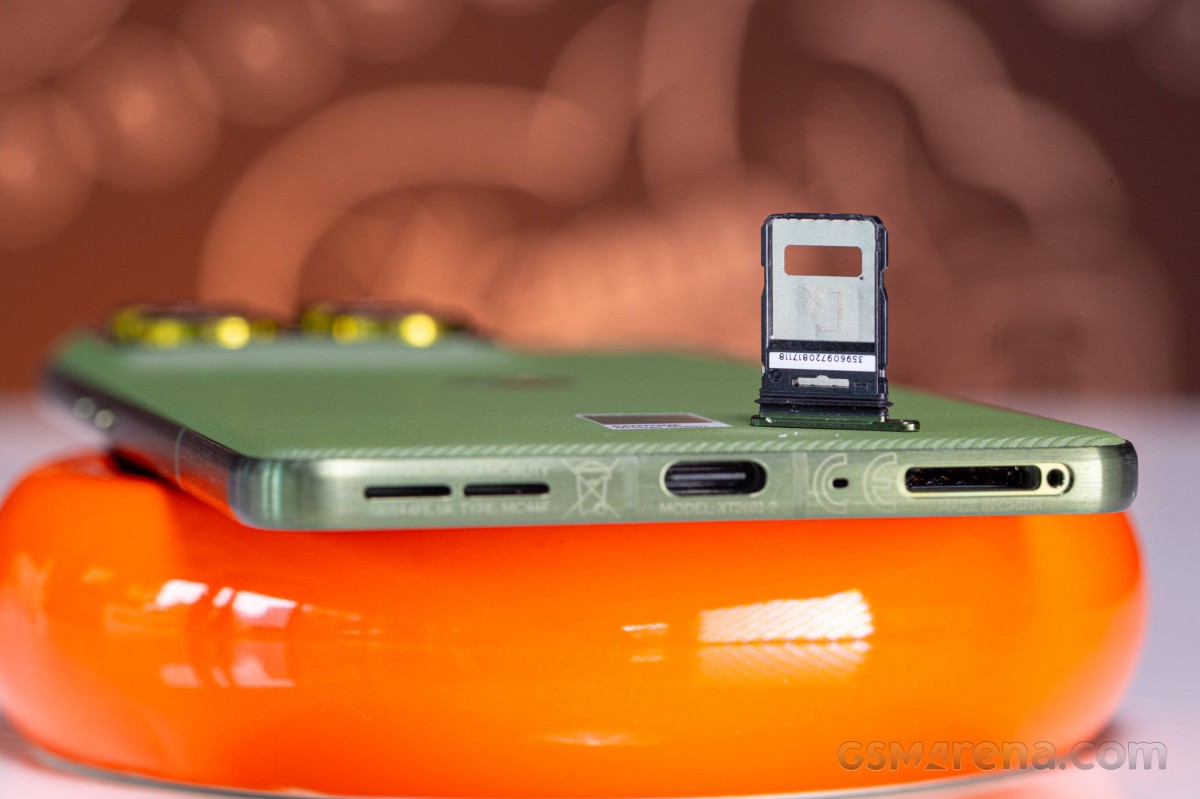
On the right are the volume and lock keys, and a third microphone.
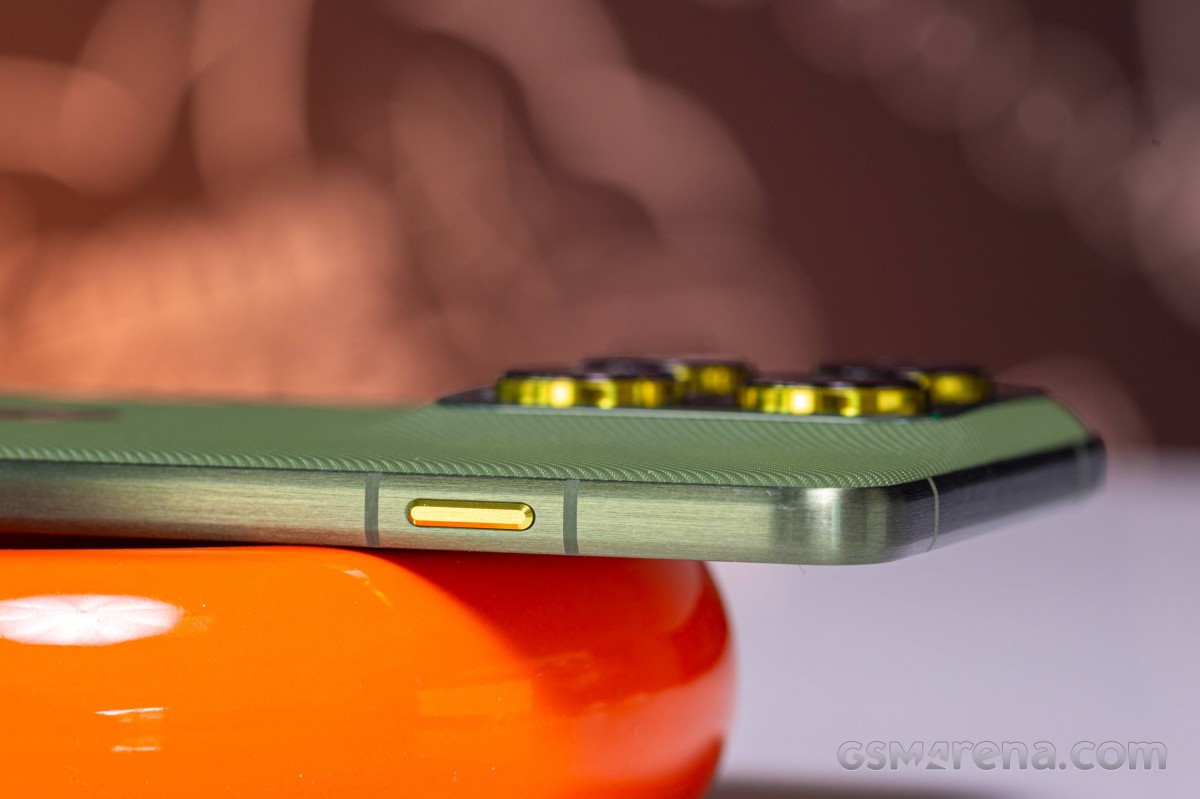
A bright AI button can be found on the left side of the Edge 70.
We loved the handling experience of the Motorola Edge 70 - it feels the most natural among the new kind of thin smartphones, and our overall impressions are nothing short of overly positive. The Edge 70 is a thoughtfully built phone with durability and thinness in mind, but these did not come at the expense of premium design and high-end features.
Display
The Motorola Edge 70 features a 6.7-inch P-OLED screen with 1220 x 2712 pixels (446ppi), 120Hz refresh rate, and 10-bit color depth. The panel supports HDR10+ and is advertised for 4,500nits of peak brightness.
The display is covered by Gorilla Glass 7i.
As we mentioned, Motorola has shared only the peak brightness of the screen - up to 4,500nits - a rather impressive number.
In our own testing, we measured 486nits of max manual brightness and 1,458nits of max automatic brightness with our regular white pattern with 75% APL. Reducing the APL to 10% of the screen area did not increase the brightness much - we got 1,489nits. If the advertised 4,500nits of peak brightness is indeed possible, it would be with specific HDR content and within a tiny part of the screen.
The minimum brightness we captured on a white screen was 2.8nits.
The screen of the Motorola Edge 70 supports up to 120Hz refresh rate. There are three system modes - Smart and Balanced, Hyper Smooth, and Efficiency First.
Both Smart and Smooth options render the UI at 120fps and choose to use high refresh rates for most of the compatible apps. Smart usually opts for 90Hz for most apps, while Smooth - for 120Hz. No matter Smooth or Smart, the refresh rate goes down to 60Hz for static content and video playback.
The 'Efficiency First' modes produces 60Hz always.
The Edge 70 supports HDR10 and HDR10+ content, and YouTube and hardware scanning apps recognize it. But at the time of writing, Netflix didn't have the device on its HDR allowlist, and served 1080p content in standard dynamic range only.
Battery life
The Motorola Edge 70 is powered by a Si/C 4,800mAh battery, an impressive capacity given the slim profile. Just for comparison - the Galaxy S25 Edge comes with a 3,900mAh cell, the iPhone Air - 3,149mAh.
The Edge 70 scored a solid Active Use score of 13:36h.
It did very well on our call test, bested the iPhone Air and the Galaxy S25 Edge on the web browsing one, and did better than the Galaxy on the streaming and game tests.
Charging speed
The Motorola Edge 70 supports up to 68W fast wired charging and up to 15W wireless charging. To make use of the maximum wireless charging speed, you must use a magnetic charger and the bundled magnet-featuring case.
We carried out the charging speed test with Motorola's own 68W power adapter, which relies on the USB-PD protocol.
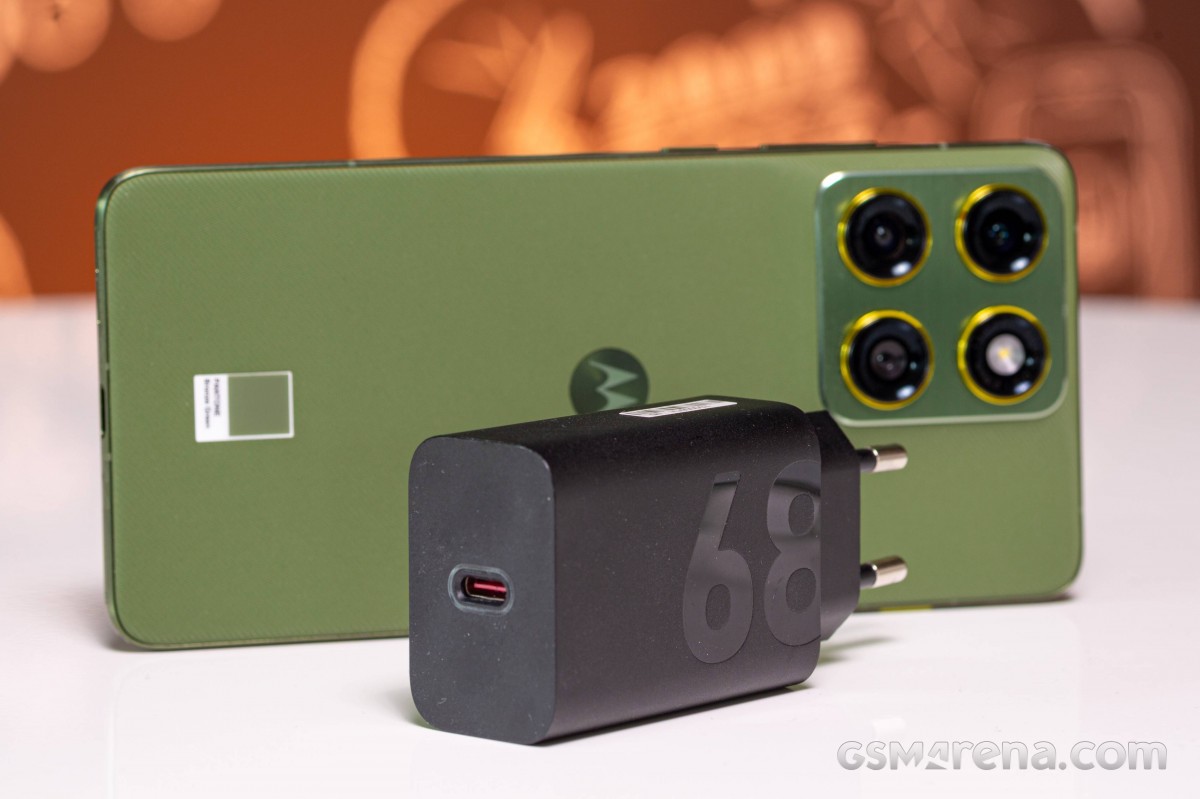
The 68W charger got the battery from 0% to 48% in 15 minutes. We captured 85% of the charge on the 30-minute mark, and 100% was reached on the 41-minute mark. Charging is quite fast on this one.
For our charging speed tests, we used the Charge boost option, but you can also turn that off if charging speed is not your priority. You can also set a charging limit on the battery so it never goes to 100%, or smart charging for whenever you charge your phone at night.
Speakers - loudness and quality
The Motorola Edge 70, just like many other recent Moto phones, features two speakers - one at the bottom and the earpiece pulling a double duty. There is support for Dolby Atmos, and it's on by default.
The Motorola Edge 70 speakers scored a Very Good mark on our loudness test. The sound quality is average though - it's a bit shallow, with good high range, there is some bass, but the vocals and the mid-tones need a boost.
Use the Playback controls to listen to the phone sample recordings (best use headphones). We measure the average loudness of the speakers in LUFS. A lower absolute value means a louder sound. A look at the frequency response chart will tell you how far off the ideal "0db" flat line is the reproduction of the bass, treble, and mid frequencies. You can add more phones to compare how they differ. The scores and ratings are not comparable with our older loudspeaker test.
Android 16 with clean Hello UI
The Motorola Edge 70 boots Android 16 with the proprietary Hello UI on top of it. And if you have used any recent Motorola, you will feel right at home with the Edge 70. You can check out our Hello UI/Moto AI video, which we did earlier this year for Edge 60, to get a general feel for it.
Motorola promises "four years of Android OS upgrades plus six years of security updates," which is not a specific number of major OS updates.
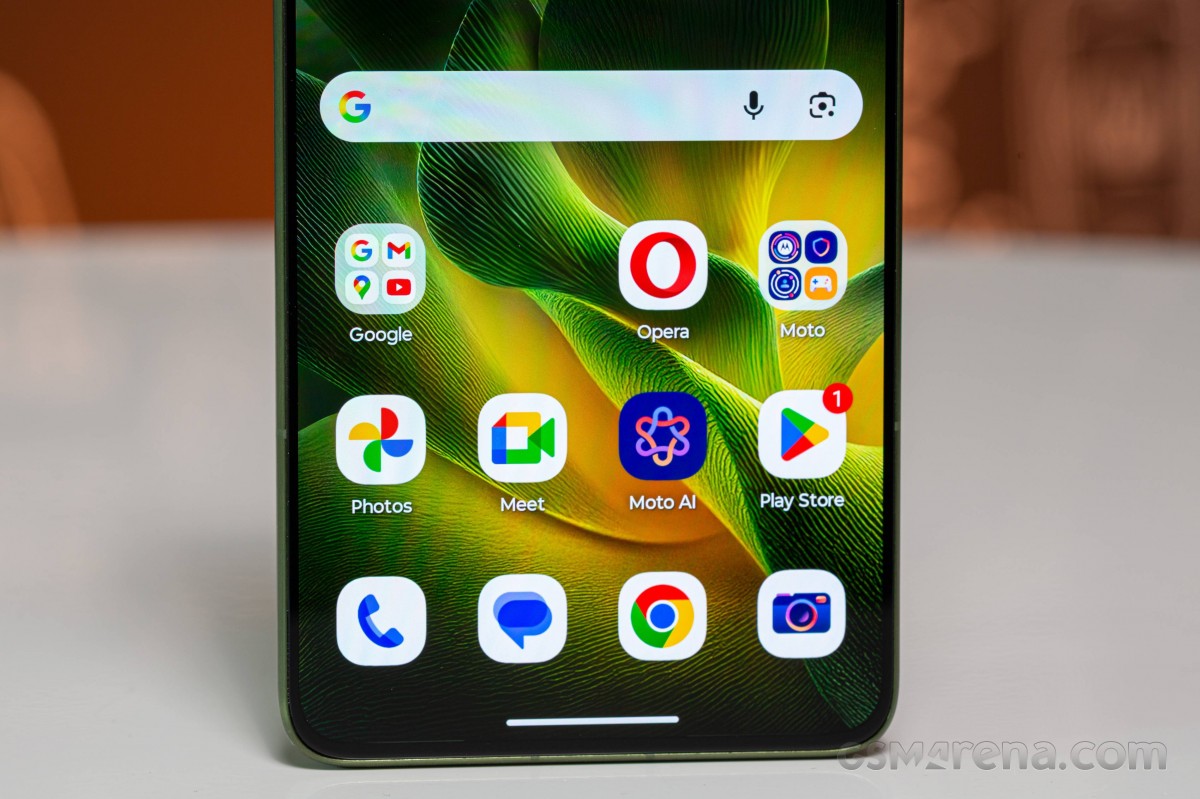
All important customizations live in the usual Moto app 'hub'. Things are neatly organized, with the categories that have a lot of entries. There are some cool predefined themes, too.




Hello UI and Moto app
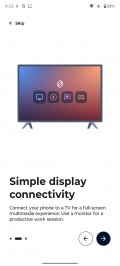
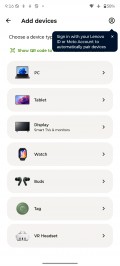
Smart Connect (previously Ready For) is the combined name for the features that involve connecting the phone to a PC, tablet, or standalone displays, be it wired or wirelessly. Streaming, mobile desktop, phone to PC, smart sharing, smart clipboard, cross control and more - all features are here under one roof.
The Smart Connect app is where you would also pair your Moto buds, watch, VR, and tags.



Smart Connect
Moto does AI differently than other manufacturers. You actually have the choice of several different AI models here on one device. Besides Google's Gemini, Motorola also provides its own AI helper, called Moto AI, and it's designed to be accessible from anywhere.
You can summon its chatbar either via the AI key on the left side of the phone, or by tapping on the phone's back (one of the configurable Moto gestures), or even via the optional floating bubble.
Like any other AI chatbot, you can ask Moto AI for pretty much anything on the fly, including how to use or turn on features on the phone itself.





Moto AI
As of recently, Moto AI has also been integrating Copilot Vision, which works similarly to Gemini Live. You can not only converse with it, but also ask it questions about things it sees through the cameras.
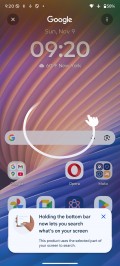
Moto AI also gives you the "Explore with Perplexity" option, which is context-sensitive, related to the stuff you have open on your screen. It allows you to do a deep dive into that particular subject.
Besides the chatbots, when you press the AI key, you'll call up a list of specific AI functions. Catch me up is Moto's way of summarizing your notifications into one spot. Then there's Image Studio, a place where you can have the AI produce generated images, stickers and avatars. Pay Attention is Moto's name for its audio recording, transcription and summarization function. Another function is Playlist Studio, where the AI can create a curated music playlist for you based on your input.

Circle to Search
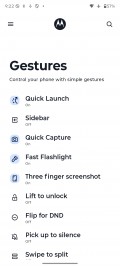
AI aside, tapping on the phone's back is a nice shortcut gesture. It's called Quick Launch and it's not limited to starting Moto AI specifically. You can alternatively set it to open a specific app, start/stop music playback, or go back to the homescreen or the last used app, among others.
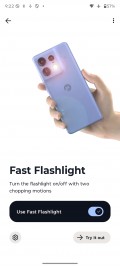
Gestures
As usual, Motorola's UI also offers several other unique physical shortcuts like this, including the karate chop to toggle the flashlight and the quick wrist twist to start the camera.
Motorola has two apps to add on top of Google's - simple-looking yet powerful Notes app leveraging AI, and Moto Unplug to help you ease some stress from notifications and find your balance.
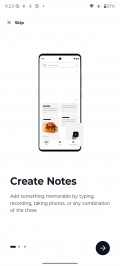




Moto apps
Performance and benchmarks
The Motorola Edge 70 runs on the new Qualcomm Snapdragon 7 Gen 4 (4nm) chipset. It is paired with 12GB of LPDDR5X RAM and 256GB or 512GB of UFS 3.1 storage.
This new chip features an updated Kryo CPU with a 1+4+3 configuration. There's a Cortex-A20 prime core clocked @ 2.8GHz, alongside 4x performance Cortex-720 cores @ 2.4GHz and 3x efficiency Cortex-520 cores @ 1.8GHz. Qualcomm claims 27% faster CPU performance over the SD 7 Gen 3.
The Adreno 722 GPU gets a 30% boost compared to the previous gen chip. Qualcomm is also bringing select Snapdragon Elite Gaming features, including its Adaptive Performance Engine 4.0. The GPU also supports the HDR10, HDR10+, HDR Vivid and HLG codecs.
The updated Hexagon NPU inside the Snapdragon 7 Gen 4 offers a 65% boost in AI tasks with the ability to run Stable Diffusion 1.5 locally.
And now, let's see some benchmarks.
The Snapdragon 7 Gen 4 inside the Motorola Edge 70 is a good mid-range performer. It is a bit faster than the 7 Gen 3 (Edge 50 Pro), but it cannot come close to something like the Galaxy Edge, for instance.
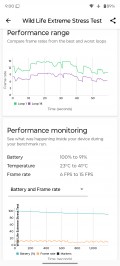
The Motorola Edge 70 did well on our sustained performance tests - it kept 86% of its CPU performance after 1h of stress testing (an amazing score) and 64% of its GPU performance after 20 minutes of 3D mark testing - a solid result.
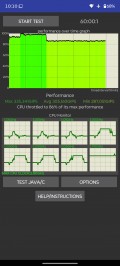
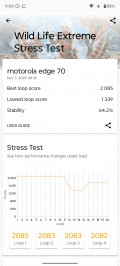
CPU test • GPU test
The phone did get warm during the stress tests, quite warm around the frame, but never too unpleasant.
Overall, the Motorola Edge 70 did very well when it comes to performance, and it's a reliable phone. However, if you prioritize raw performance, phones like Galaxy S25 Edge would offer better-performing chipsets for less money.
A trio of 50MP imagers
The Motorola Edge 70 features three 50MP cameras - two on the back and one at the front. All of these are wide-angle cameras, there no telephoto though the primary one can offer 2x lossless zoom.
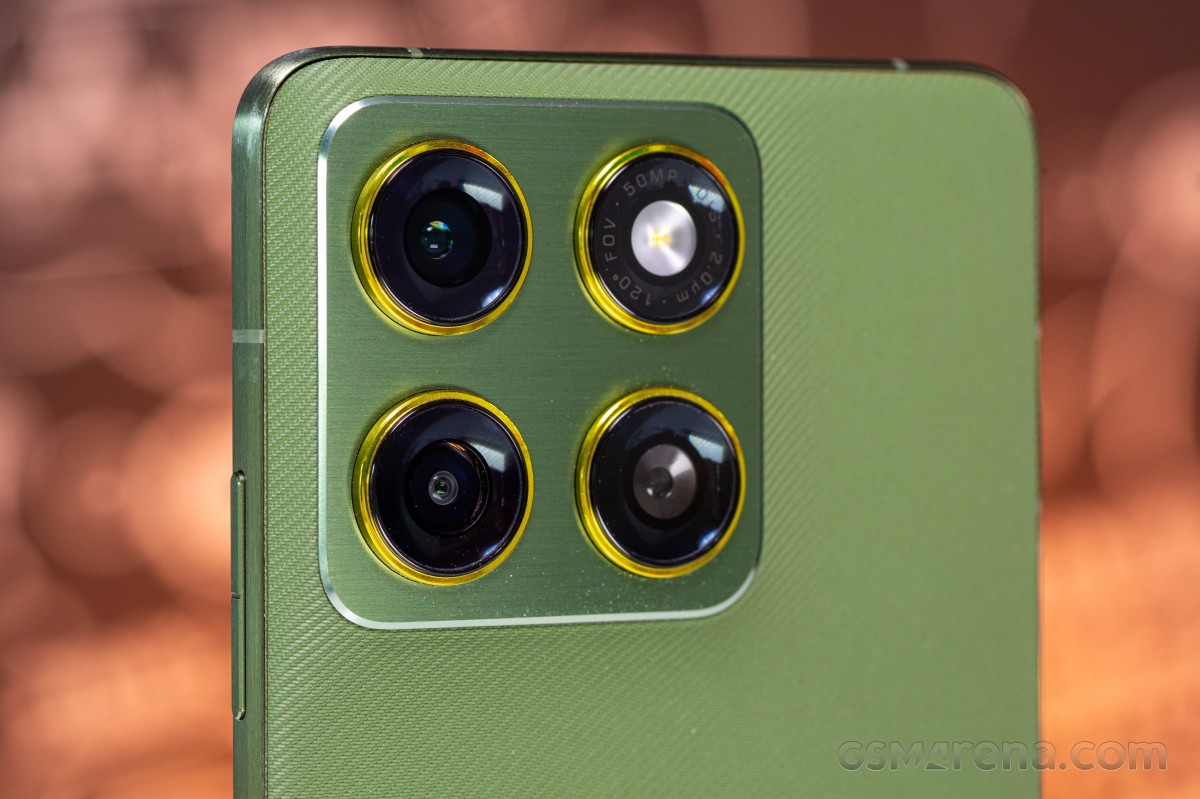
- Wide (main): 50MP Samsung GNJ 1/1.56", 1.0µm-2.0µm), f/1.70, PDAF; 4K@60fps
- Ultrawide: 50MP Samsung JNS (likely a variation of JN1, 1/2.76", 0.64µm-1.28µm), f/2.0, PDAF; 4K@30fps
- Front camera: 50MP Samsung JNS (likely a variation of JN1, 1/2.76", 0.64µm-1.28µm), f/2.0; 4K@30fps
The camera app performance has been improved since the Edge 60 phones we've used so far, especially when it comes to speed, though issues are still present - the shutter button feels occasionally unresponsive for example.
Daylight photo quality
The main camera captures nice 12MP photos in good light. We observed high detail levels, accurate white balance, true to life colors, and wide dynamic range. There is no visible noise.
The processing is quite mature with true-to-life look, including foliage and other complex areas.











Main camera
The 2x zoomed photos are nearly as solid as the default ones. While there is a minor drop in the global detail in areas of random detail (foliage, faces, decorations), the rest is equally great - sharpness, colors, dynamic range, and noise reduction.











Main camera, 2x zoom
The 50MP images appear upscaled from the 12MP ones, and there is no benefit in using this mode.




Main camera, 50MP
The Edge 70 is an impressively proficient camera when it comes to capturing people. All facial details are rendered very well, skin tones are true to life, the subject is well exposed, and the dynamic range is quite wide.




People shots, 1x zoom




Portrait mode, 1x zoom
The same can be said about the 2x zoomed images of people - they are just as great even if there is a minor drop in the global detail and sharpness.
The indoor photos shot not in perfect light conditions may have some visible noise and poor detail, though.




People shots, 2x zoom




Portrait Mode, 2x zoom
The ultrawide camera saves nice 12MP photos with very good detail levels and sharpness, wide enough dynamic range, and realistic colors that match the ones produced by the main camera. Noise is handled once again very well and all images look natural.











Ultrawide camera
The ultrawide camera supports autofocus and can accurately focus on objects as close as 10cm away. The automatic macro mode kicks in seamlessly and it crops and upscales the image to match the 24mm FoV of the main camera. The results are still nice with good detail, excellent colors, and superb dynamic range.




Closeups with ultrawide camera
The Motorola Edge 70 has an extremely good selfie camera that captures impressively detailed photos, with greatly reproduced facial features, natural skin tones, and realistic colors. The dynamic range is plenty wide, too.




Selfies
Low-light photo quality
The main camera produces very good photos at nighttime - the resolved detail is plenty, the noise reduction is proficient and gets rid of the noise without smudging details, and the colors are pleasantly saturated. The dynamic range is impressively wide, and the contrast didn't take a major hit because of that.







Main camera
The Night Mode brightens the whole image and lowers the contrast, and there is a small drop in the detail, too. The images are good, yes, but we don't like this overly bright look for a nighttime photo.




Main camera, Night Mode
The 2x zoomed photos are usable, if not good. And while their overall look matches the regular ones, about a third of the detail is gone and the images have this distinct washed-out look.







Main camera, 2x zoom
The ultrawide photos we took at night are good with sharp and detailed for this sort of camera, with some nice colors, exposure and dynamic range.







Ultrawide camera
The Night Mode for the ultrawide camera improves the dynamic range and there are less blown highlights, so you may want to try it in certain scenes - it does well enough.




Ultrawide camera, Night Mode
Video recording
All three cameras of the Motorola Edge 70 support up to 4K30 and up to 1080p60 video capturing. There is always-on electronic stabilization. Audio is always captured in stereo with a 256Kbps bitrate and a 48kHz sample rate.
You can check out the playlist below, which includes multiple video samples.
The main cam captures excellent videos during the day. They have good detail, low noise, accurate colors and wide dynamic range. If you zoom in 2x, you will get a simple digital zoom that crops and upscales, and the result is noisy and not very sharp.
The low-light videos by the main cam have great dynamic range and color reproduction, detail is above average, and the noise is low.
The ultrawide camera shoots good videos during the day with enough detail, good colors and contrast, and solid dynamic range. The low-light footage, while usable, is noisy and has a narrow dynamic range.
Last, but not least important, the stabilization works well, but there is room for improvement - the walking shake is not entirely dampened, and there is some wobbling present here and there.


